


The Acer Aspire 16 AI isn’t perfect, but it’s lightweight, capable, and has such a beautiful OLED display that I kept reaching for it anyway.
Price When Reviewed
This value will show the geolocated pricing text for product undefined
Best Pricing Today
1279.99
The Acer Aspire 16 AI surprised me. It’s the first laptop I’ve looked at in a while that I’d seriously consider buying. It’s just effortless to live with. It’s lightweight and the OLED display is so pretty that even my husband commented on it.
Are there things I’d change? Yep. That said, the quirks never really got in the way of my day-to-day use.
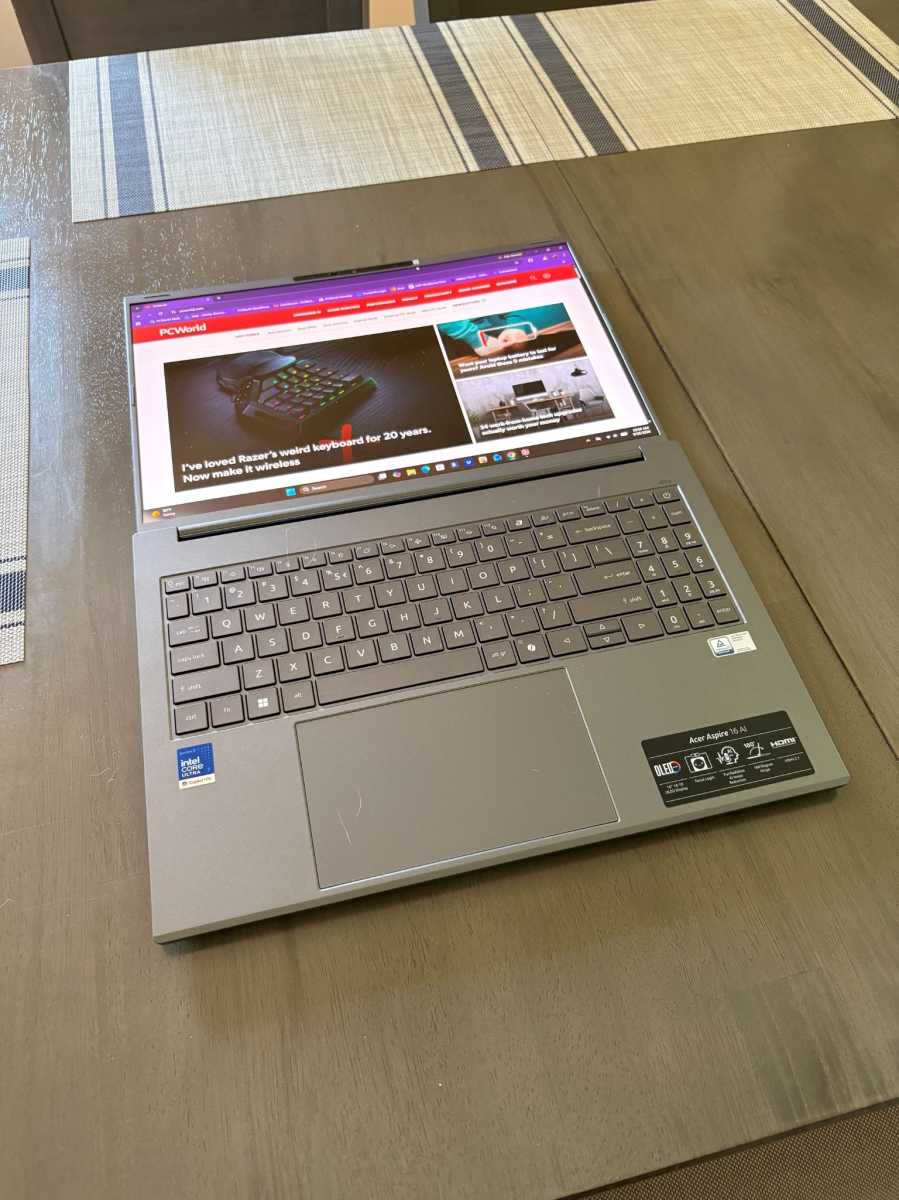
At 3.23 pounds, I kept forgetting I was carrying a 16-inch laptop. I could easily pick it up with one hand and carry it around (although I wouldn’t recommend making a habit of carrying any laptop that way!). The aluminum chassis also feels nice in hand—I definitely prefer it to the plastic ones.
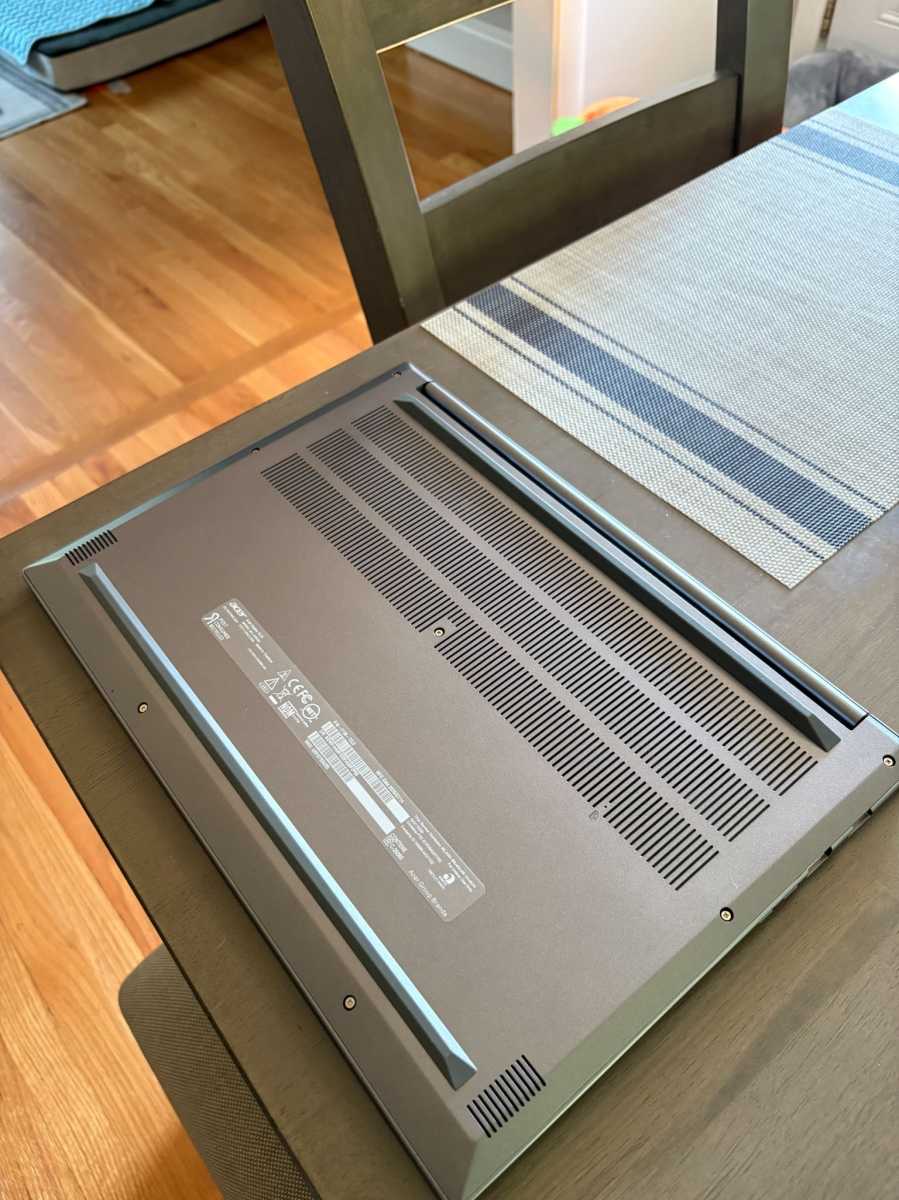
Flip the Aspire 16 over and you’ll see several ventilation openings across the underside, along with a raised section toward the rear. Acer identifies the openings as part of the laptop’s ventilation and cooling system. I didn’t hear much fan noise at all, and the underside of the laptop stayed cool.
The biggest reason I’d reach for the Aspire 16? The display. Even my husband, who has watched me test many different laptops, noticed the display and commented on how good it looked.
First, the size. It’s 16-inches with a 16:10 aspect ratio, which means you’re getting more vertical space than a standard 16:9 panel. I appreciated that extra space, especially when scrolling through longer emails and PCWorld articles.
Second, it’s an OLED panel, so colors are rich and vibrant. Darker scenes have a sense of depth to them, too. To put it through a less scientific (but more entertaining!) test, I watched one of Bjork’s live concerts. And, just as I expected it to, the Aspire 16 handled the concert beautifully.
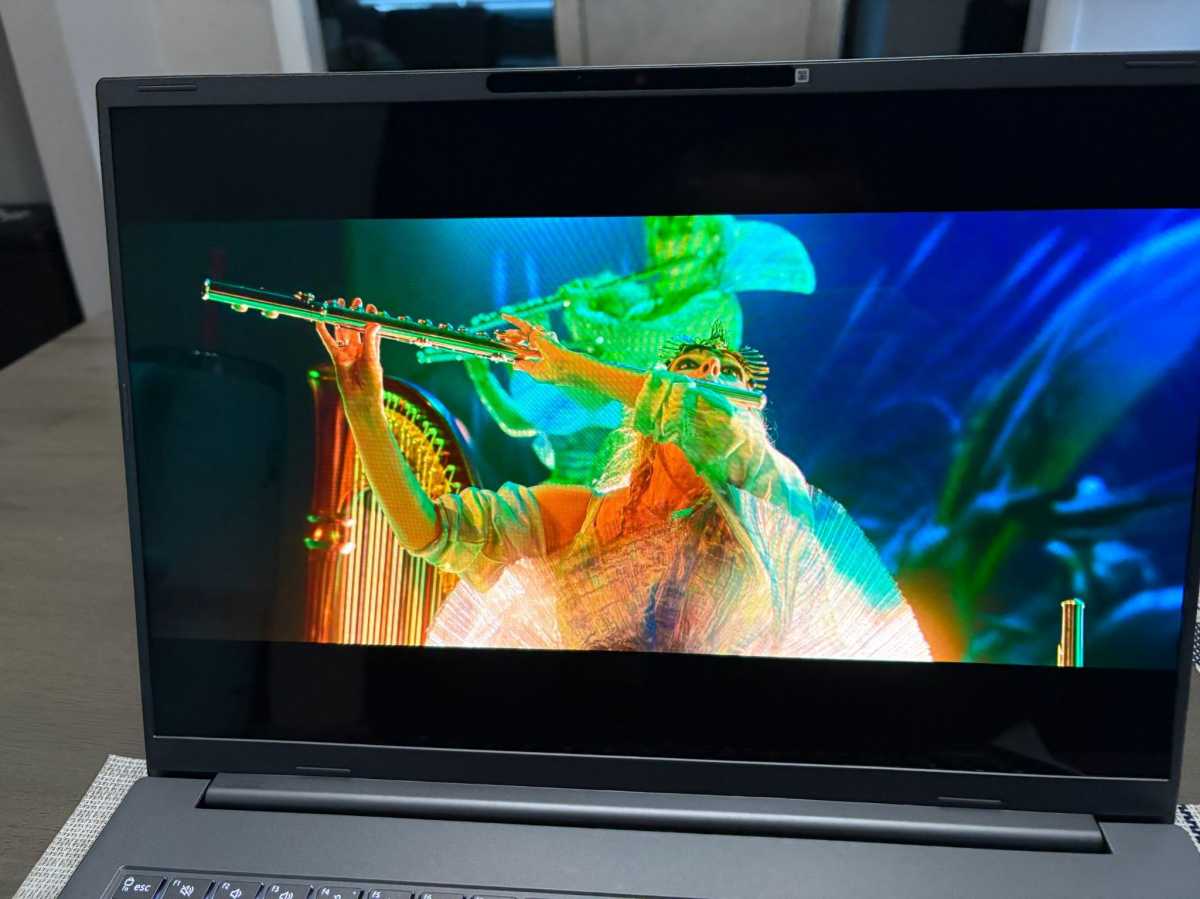
Bjork’s white feather mask really popped against the colorful backgrounds—I could easily spot her in faraway shots. I found myself pretty immersed in the performance. In part due to the larger screen size. In part due to Bjork being, well, Bjork.
I also watched a documentary about Iceland (I was there recently and I’ve never felt more humble), and the sweeping shots of the moss-covered lava rocks were stunning. The chunks of glacier ice looked especially blue.
Brightness is the one thing I wish were better.
Even with the brightness turned all the way up, I still wished I could bump it up a click or two. Acer rates it up to 300 nits, which lines up with my experience.

I didn’t use the touchscreen much, though. That’s purely because I just prefer navigating on the touchpad and keyboard. Still, the touchscreen is nice to have at this price point ($1,279.99 at the time of this writing).
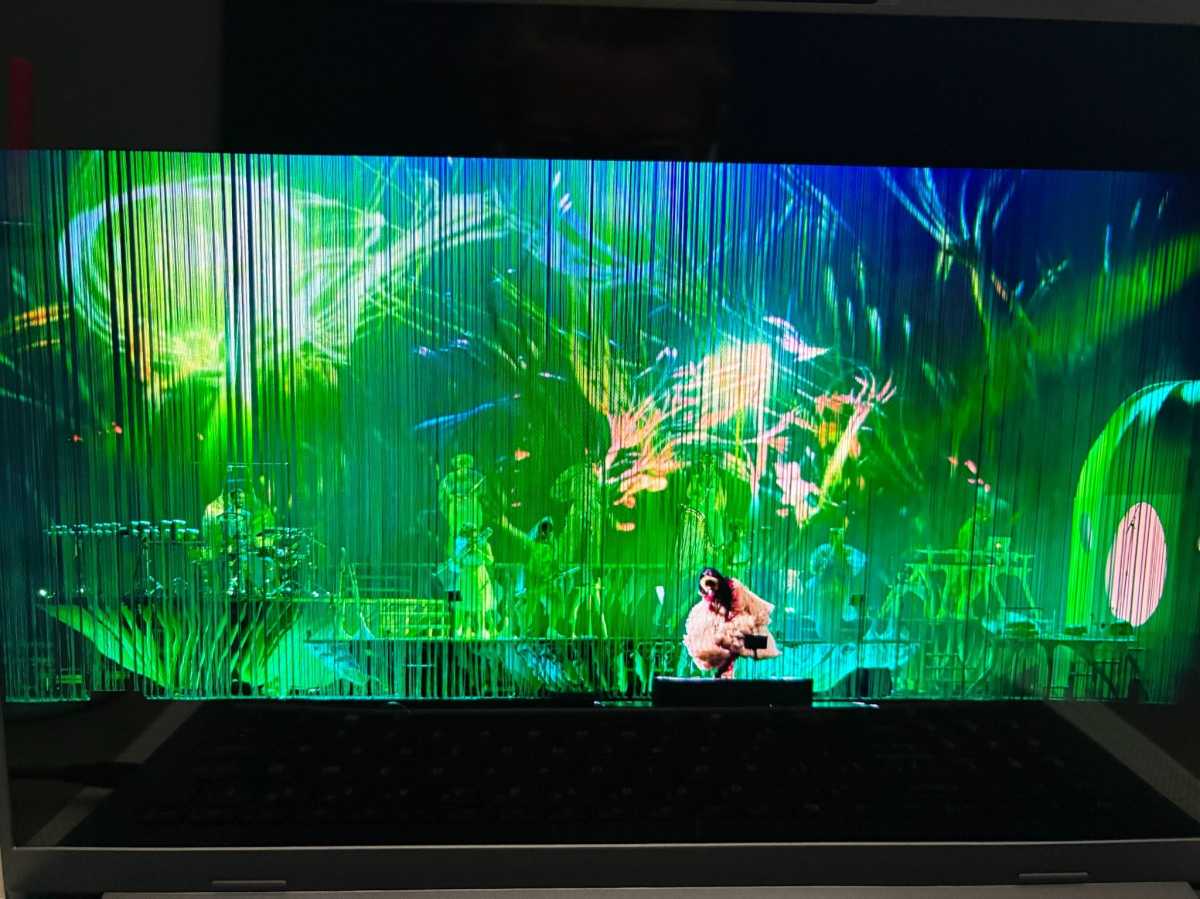
By the way, the screen is pretty reflective (as you can see in that horrifying picture above), especially under brighter lights.
The Aspire 16 has a large keyboard with a dedicated number pad, which will be a welcome addition for anyone who regularly works with numbers.
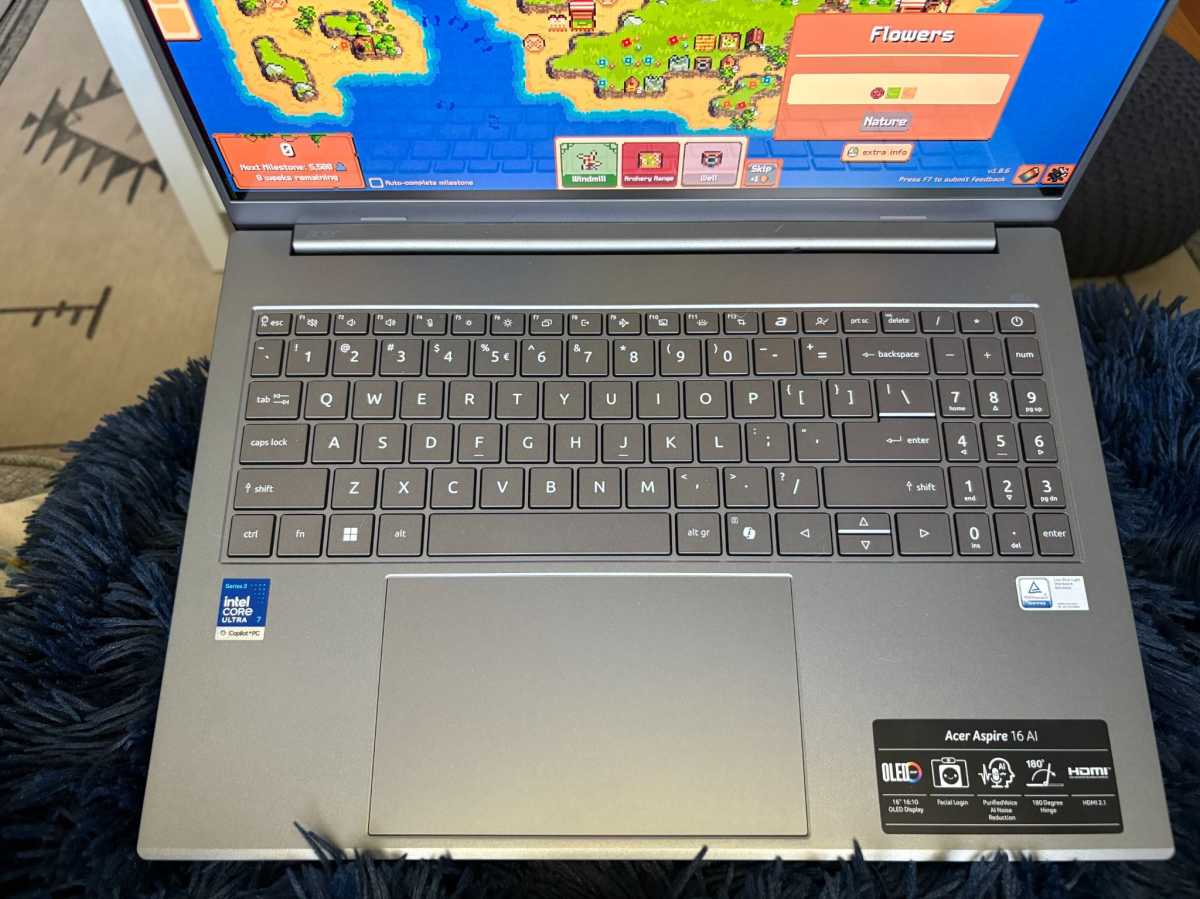
Me? The Aspire 16’s larger layout is a little too big for my hands, so it took me longer to get accustomed to typing on it. I found myself landing on the wrong key more often than not. That’s probably because I’m used to using a 14-inch laptop on a daily basis, which has a smaller keyboard. I also struggled with the size of the vertical (up and down) arrow keys. I just kept wishing they were the same size as the horizontal ones.
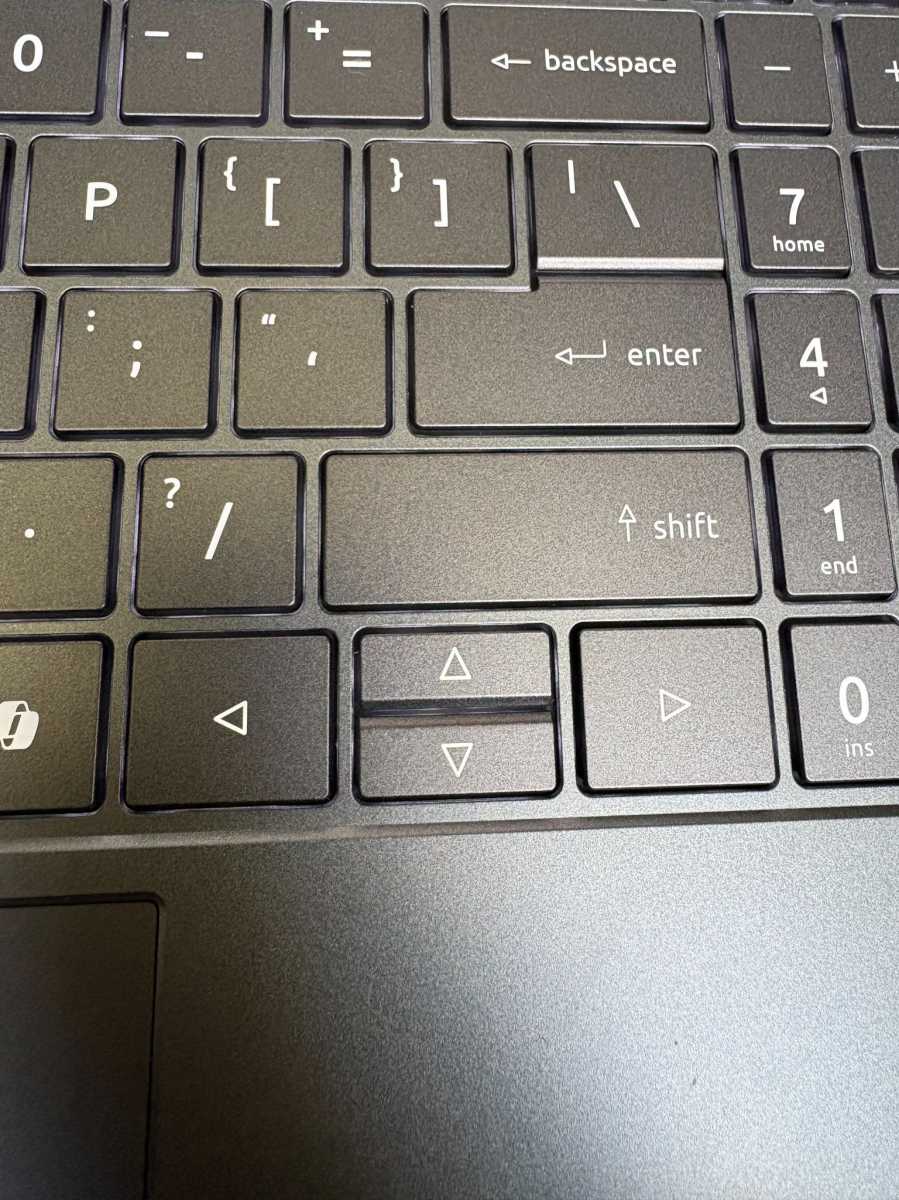
I appreciated the backlight, as usual. I’m a creature of the dark, so I like being able to see the keys when I’ve got the lights switched off. You can also toggle the backlighting on and off with a dedicated key rather than getting yourself lost in Windows settings.
Back to Bjork for a moment.
The Aspire 16’s speakers got loud enough that, while I was watching the concert in the kitchen area, my husband called out from a different room, “Is that Bjork?”
That’s not exactly a laboratory measurement of audio quality, but it does tell you about how far the audio can carry. For watching concerts and YouTube videos, the Aspire 16 can get plenty loud.
But volume is just one part of it.
The other part is the quality of sound, which I’d describe as “OK.” They’re fine for most folks. But if you’re a big music lover and want to hear every little sound, you’re better off buying a good pair of headphones.
For such a thin machine, the Aspire packs a good range of ports. There are two USB-C ports, two USB-A ports, HDMI 2.1, and a headphone jack, so I didn’t find myself reaching for an adapter just to connect to the usual stuff.
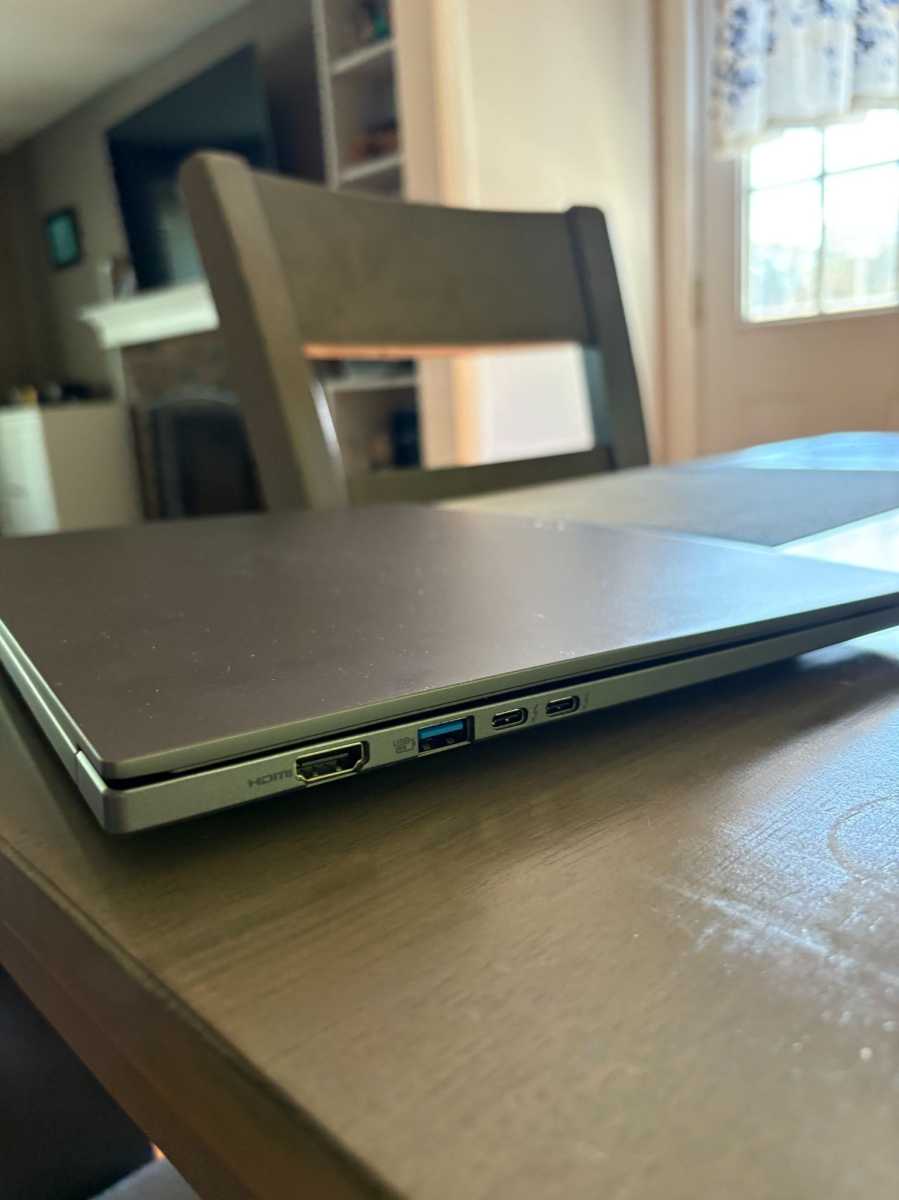
But there’s one issue (it’s a minor one, but it’s still a thorn in my side).
You can only charge the Aspire 16 on one side of the laptop. Both USB-C ports support charging, which is all well and good, but I wish they were on either side. It’d be more convenient that way!
I don’t want to dawdle on about the AI stuff because, well, I’m a bit tired of it.
The Aspire 16 AI is a Copilot+ PC (the NPU can go up to 49 TOPS), so it can do all the usual stuff. Recall saves snapshots of what you’re looking at, Live Captions adds transcriptions to videos, and so on.
Honestly? The only thing I used was Live Captions, as I have a harder time processing things through audio alone.
Performance was snappy enough for the daily stuff. My workload is fairly light, though. I’ve usually got a few tabs open: Google Docs, YouTube, Facebook, X, PCWorld’s main page, etc. I didn’t notice any slowdowns.
The Aspire 16 AI did well in our benchmark testing, too. I ran the benchmarks with Acer’s Standard Performance profile enabled. I also compared it against the recently reviewed Acer TravelMate P2 14 and Dell XPS 13. The Aspire 16 and TravelMate P2 both use Intel’s Panther Lake processors (different tiers), while the XPS 13 uses a Wildcat Lake chip.
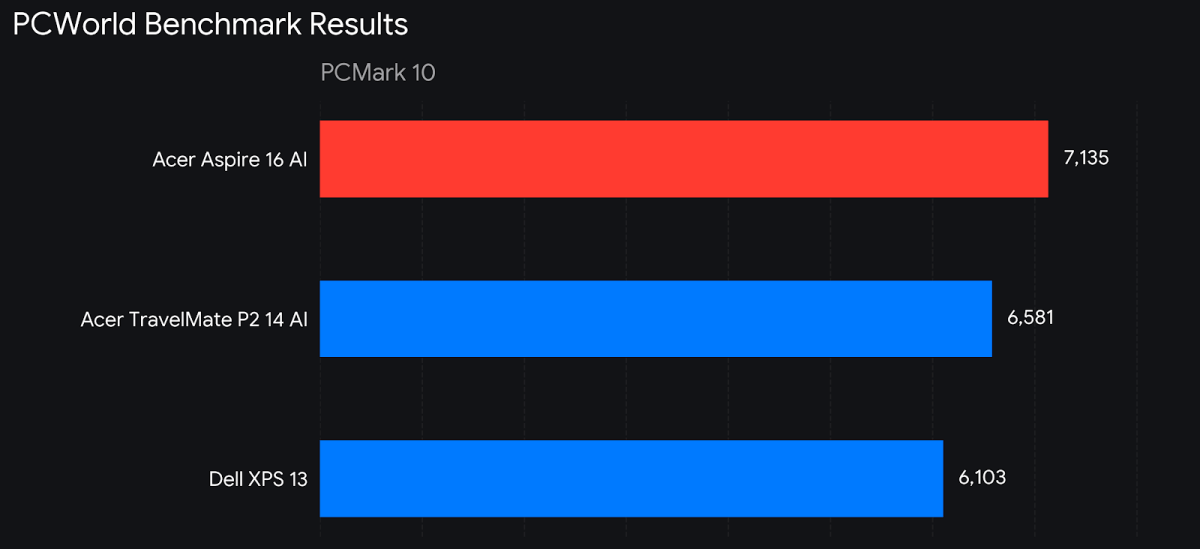
Let’s take a look at PCMark 10, which measures overall productivity performance. The Aspire 16 AI’s score of 7,135 puts it ahead of both the Acer TravelMate P2 14 (6,581) and the Dell XPS 13 (6,103). The Aspire uses the higher-tier Core Ultra 7 355 processor, so the higher score makes sense here. Interestingly, graphics performance is where the Aspire 16 pulls away from the TravelMate P2.
The Aspire’s 3DMark Time Spy score of 3,236 is more than twice the TravelMate’s 1,479. The difference likely comes down to (at least in part) the Aspire’s newer Intel Arc 140V integrated graphics.
That extra graphics performance means the Aspire 16 can handle some casual gaming without getting loud or too hot. I played ComboLands for a couple of hours one night and didn’t notice any slowdowns whatsoever. The laptop got slightly warm, but I never heard the fans ramp up—even with it sitting on my lap while I played.
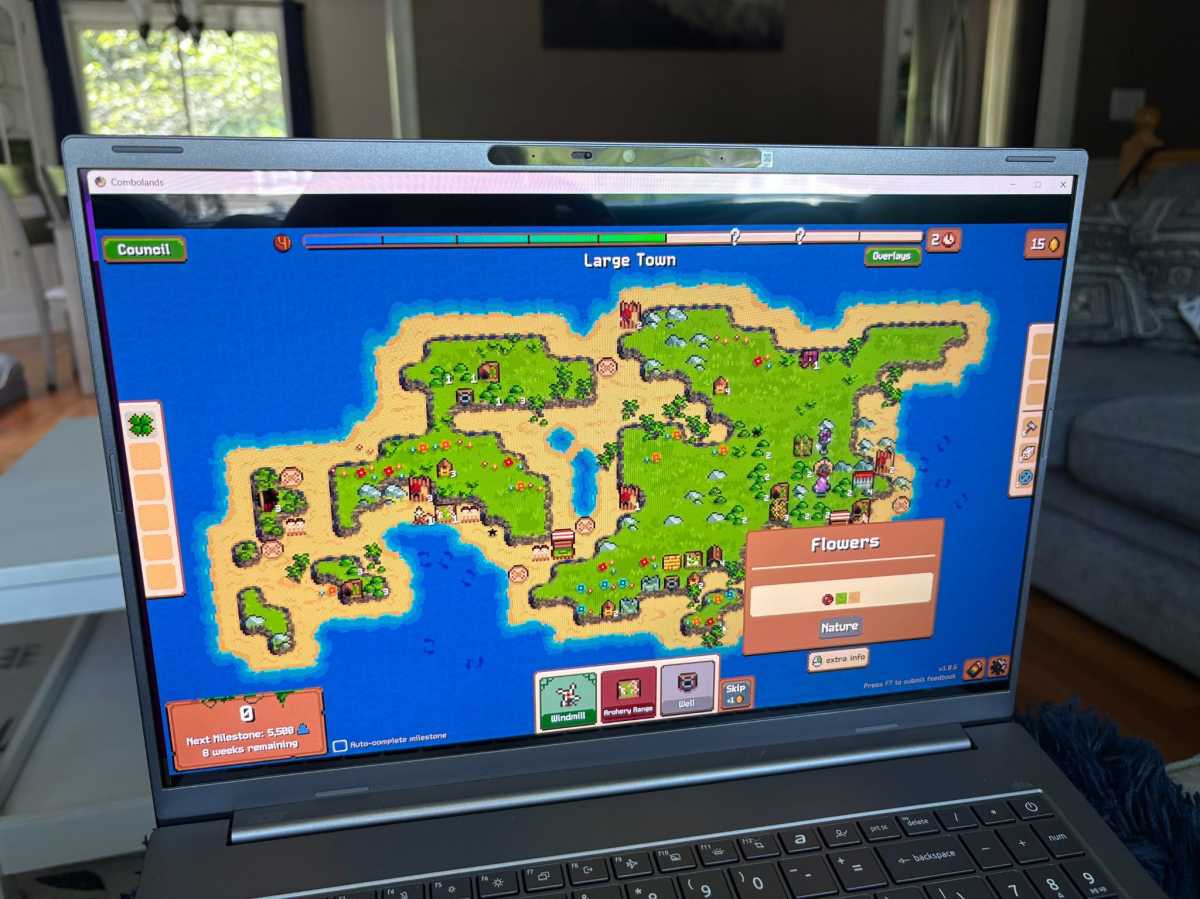
To be fair, ComboLands isn’t exactly a demanding game. It’s a citybuilding game where you’re tasked with stacking the correct buildings. Most of the time, you’re just looking at a relatively static map and placing things like houses and crops on it as you work toward different goals. So I wouldn’t take this as evidence that the Aspire 16 is a gaming laptop. But for lighter games, it was perfectly comfortable to use.
Battery life is pretty solid, too. I ran one of UL Procyon’s battery benchmarks and it lasted 11 hours and 47 minutes. Almost 12 hours! It’s not the 36-hour result we saw with the Dell 14S, but nearly 12 hours is still more than a full workday.
The Aspire 16 AI is the laptop I kept reaching for (even after the testing period was over). Sure, the keyboard was a little big for my hands and I wish I could charge it from either side, but those things never really got in the way of me wanting to use it.
There are a lot of things I like about it. The spacious OLED display is great for light gaming and watching concerts. There are also plenty of ports, and it handled my daily workload without issue.
For $1,279.99, I think the Aspire 16 AI makes the most sense for someone who wants a big, beautiful screen without lugging around a heavy 16-inch machine.


